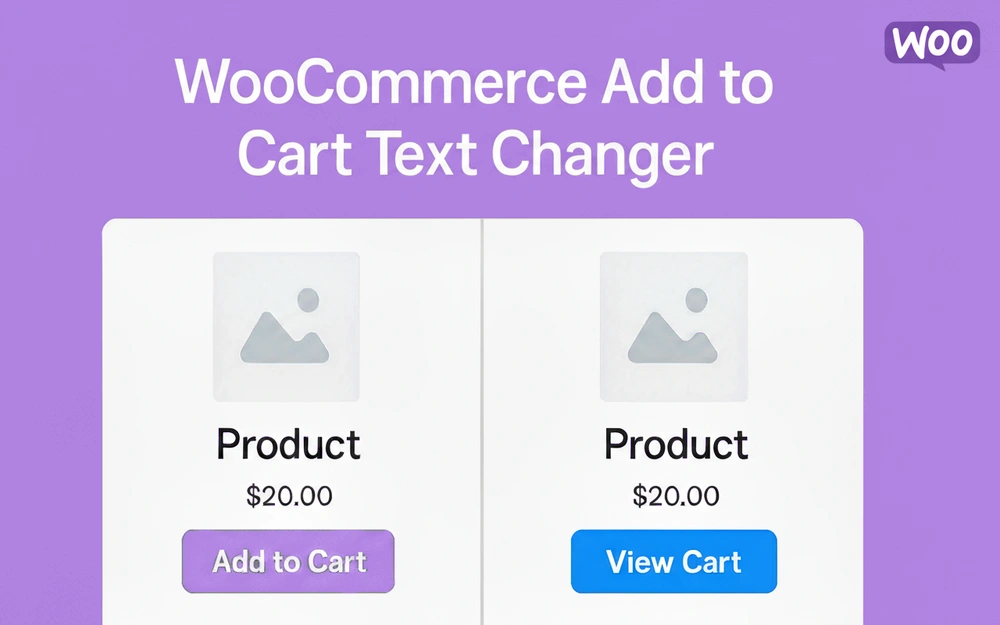
The WooCommerce Add to Cart Text Changer is an essential mini-plugin for every store owner looking to customize the Add to Cart button text and streamline the post-purchase flow.
Easily replace Add to Cart with View Cart or any custom button text after a product is added, and optionally redirect to cart after add to cart to guide customers directly to checkout. This simple but powerful tool enhances user experience, eliminates confusion, and helps boost WooCommerce conversions.
This lightweight and highly efficient plugin provides a seamless way to take full control over your WooCommerce Add to Cart button text and behavior.
By default, WooCommerce leaves the “Add to Cart” button unchanged after a product is added, which can confuse shoppers.
Our solution implements dynamic Add to Cart text functionality, instantly changing the button to a clear call-to-action like “View Cart” or “Checkout” once the item is in the basket.
The plugin offers a dedicated settings tab within WooCommerce for easy configuration. You can set the default Add to Cart button text and the follow-up View Cart button text to anything you desire.
Furthermore, it addresses a common pain point by automatically removing the intrusive “View Cart” notification message that appears at the top of the page, cleaning up the user interface. For a more aggressive sales funnel, you can enable the option to automatically redirect to cart after adding a product, ensuring a faster path to purchase.
Key Features
Feature
Description
Benefit for Store Owner
Customizable Default Text
Set a custom button text for the initial “Add to Cart” state on both shop and single product pages.
Allows for branding and clear initial calls-to-action (e.g., “Buy Now,” “Enroll Today”).
Dynamic Button Text Change
Automatically change Add to Cart button text after product added to the cart. The button instantly updates to the custom “View Cart” text.
Provides clear feedback to the customer and encourages immediate checkout, reducing cart abandonment.
Custom “View Cart” Text
The text that appears after the product is added is fully customizable (e.g., “Go to Cart,” “Checkout Now”).
Flexibility to align the post-purchase button with your specific conversion strategy.
Optional Cart Redirection
An easy-to-enable setting to redirect to cart after add to cart is clicked.
Creates a direct, one-click funnel to the checkout process, ideal for single-item purchases.
Clean UI
Automatically remove View Cart notification link/message that WooCommerce displays after a successful add-to-cart action.
Improves the shopping experience by eliminating redundant on-screen messages.
Use Cases (Who Is This For?)
This plugin is a must-have for any WooCommerce store owner focused on optimizing their sales funnel and improving the customer journey.
Dropshippers and Single-Product Stores: Benefit greatly from the redirect to cart after add to cart feature, creating a lightning-fast checkout process that minimizes friction.
Agencies and Developers: Use the plugin to quickly implement a professional, dynamic Add to Cart button experience for clients without writing custom code.
Fashion and Retail Shops: Can use the replace Add to Cart with View Cart functionality to provide immediate, clear feedback to shoppers, especially on archive pages.
Digital Product Sellers: Can customize Add to Cart button text to specific calls-to-action like “Download Now” or “Access Course,” then use the redirect feature to send them straight to a registration or checkout page.
Anyone looking to boost WooCommerce conversions: By providing a clearer path from product page to checkout, this plugin directly contributes to a higher conversion rate.
Frequently Asked Questions
How do I change the Add to Cart button text in WooCommerce?
You can easily change the Add to Cart button text in WooCommerce using the WooCommerce Add to Cart Text Changer plugin. Simply install the plugin, navigate to the dedicated settings page, and enter your desired default text and the text you want to display after the product is added.
Can I replace Add to Cart with View Cart after product added?
Yes, the primary function of this plugin is to replace Add to Cart with View Cart after product added to the shopping basket. This dynamic button text provides instant visual confirmation to the customer that the item is in their cart and gives them a clear next step.
Is there a way to automatically redirect to cart after adding a product?
Absolutely. The plugin includes a simple checkbox option to automatically redirect to cart after adding a product. Enabling this feature bypasses the product page and sends the customer directly to the cart, which is an excellent strategy for accelerating the checkout
Does this plugin remove the View Cart notification?
Yes, the WooCommerce Add to Cart Text Changer automatically handles the removal of the default WooCommerce “Product added to cart successfully. View Cart” notification message, resulting in a cleaner, less cluttered user interface for your customers.
Can I use a custom button text instead of “View Cart”?
Yes, the text that appears after the product is added is fully customizable. You can use “Go to Cart,” “Checkout,” or any other custom button text that best suits your store’s branding and conversion goals.


 WooCommerce Add to Cart Text Changer